The PSA your techs would build for themselves.
Tickets, time, dispatch, billing and a client portal, in one place. With an agent that does the mechanical work, so your people can make the decisions.
or self-host Marula Core, free and open source under the AGPL.
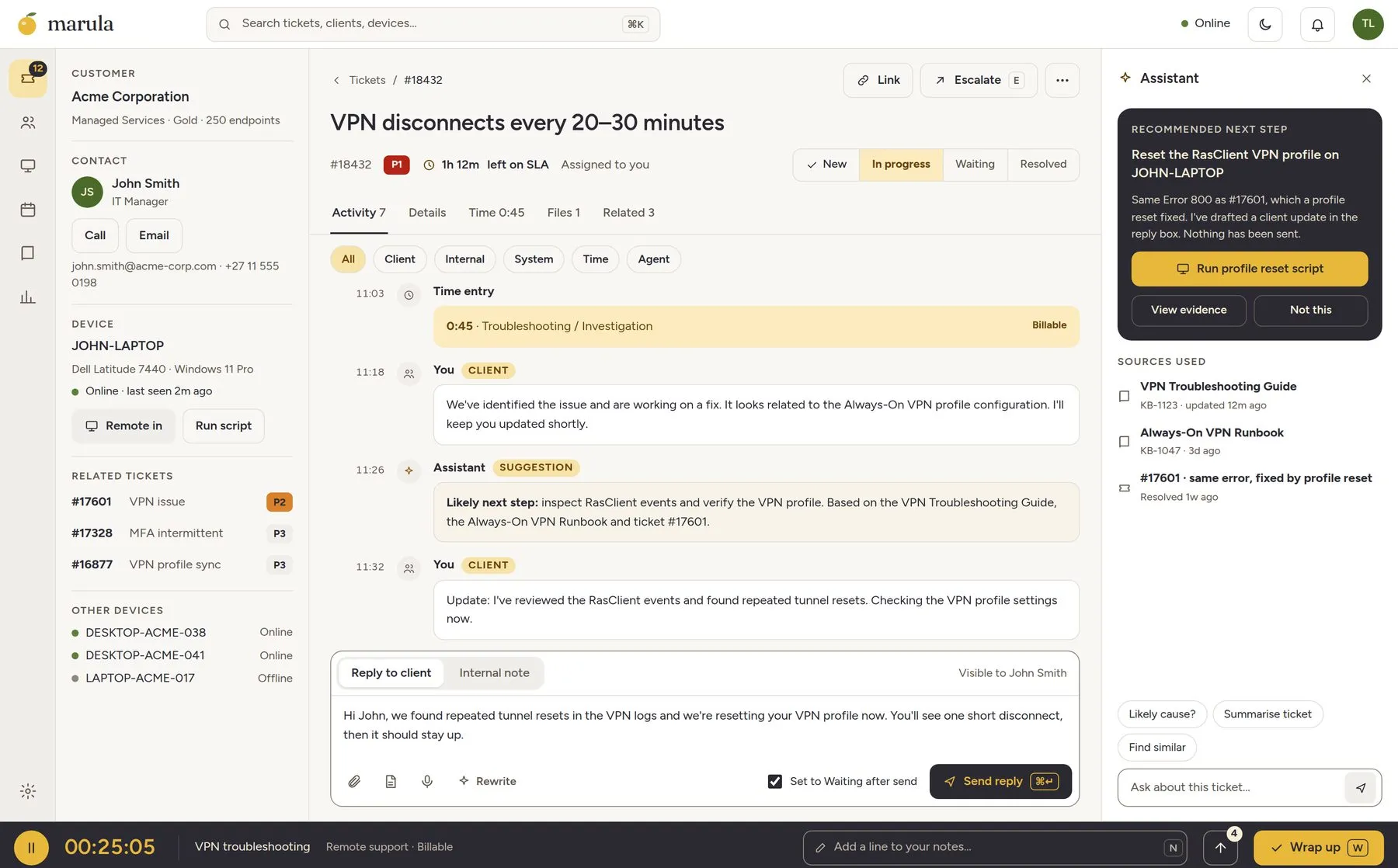
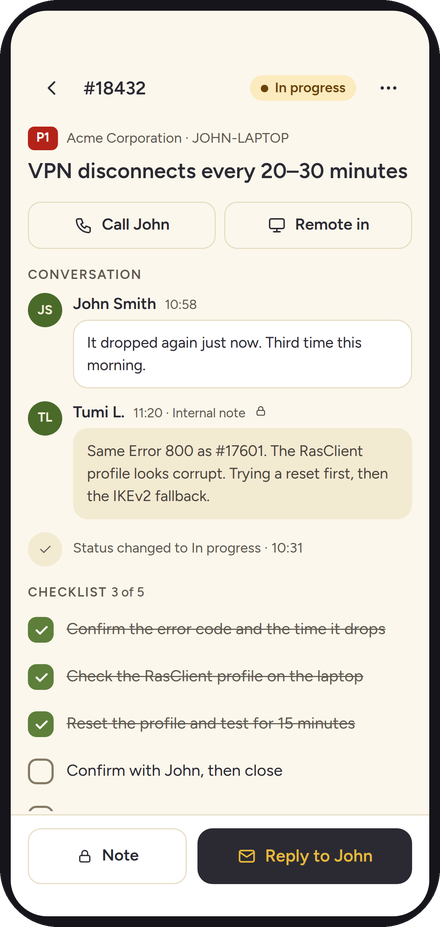
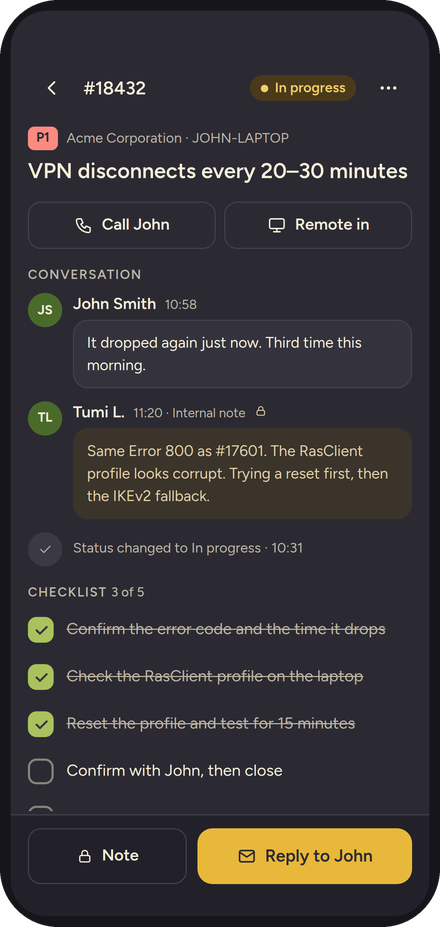
I nearly got fired over time entry.
Not for skipping the work. For forgetting to write it down. The tools we were handed made recording an hour feel like a second job, and then blamed us when we fell behind on it.
So we built the one we wanted on our own desks. It remembers what you did, asks the one question worth asking, and gets out of your way. The rest of the day is for the actual work.
Time that remembers for you.
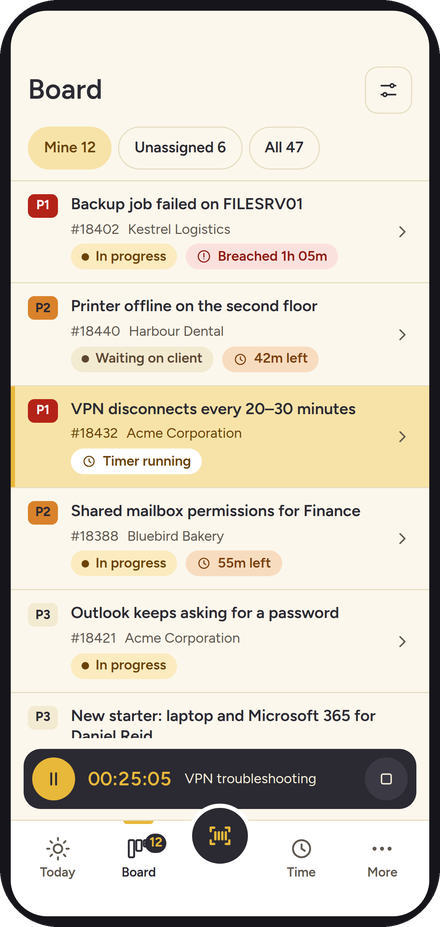
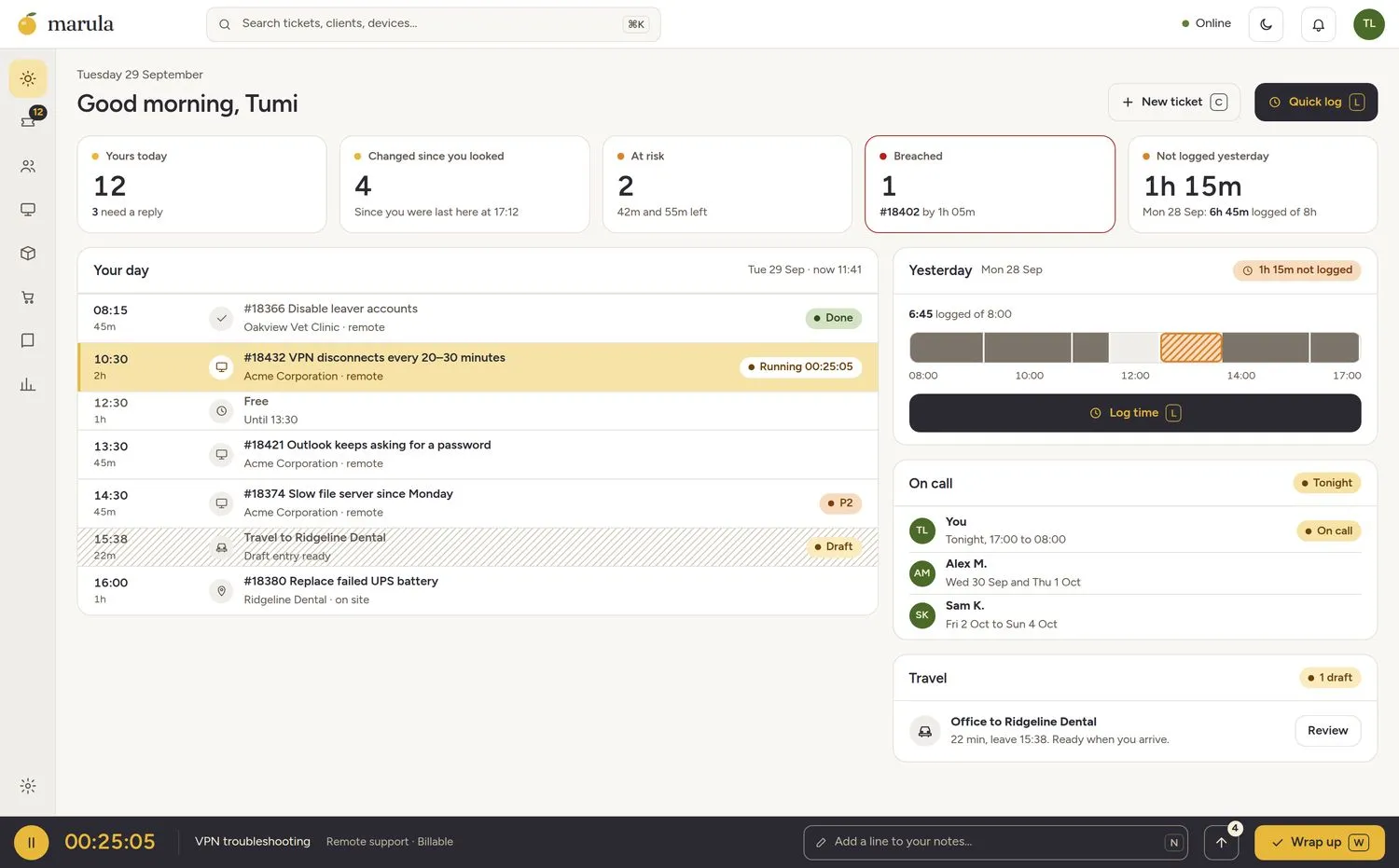
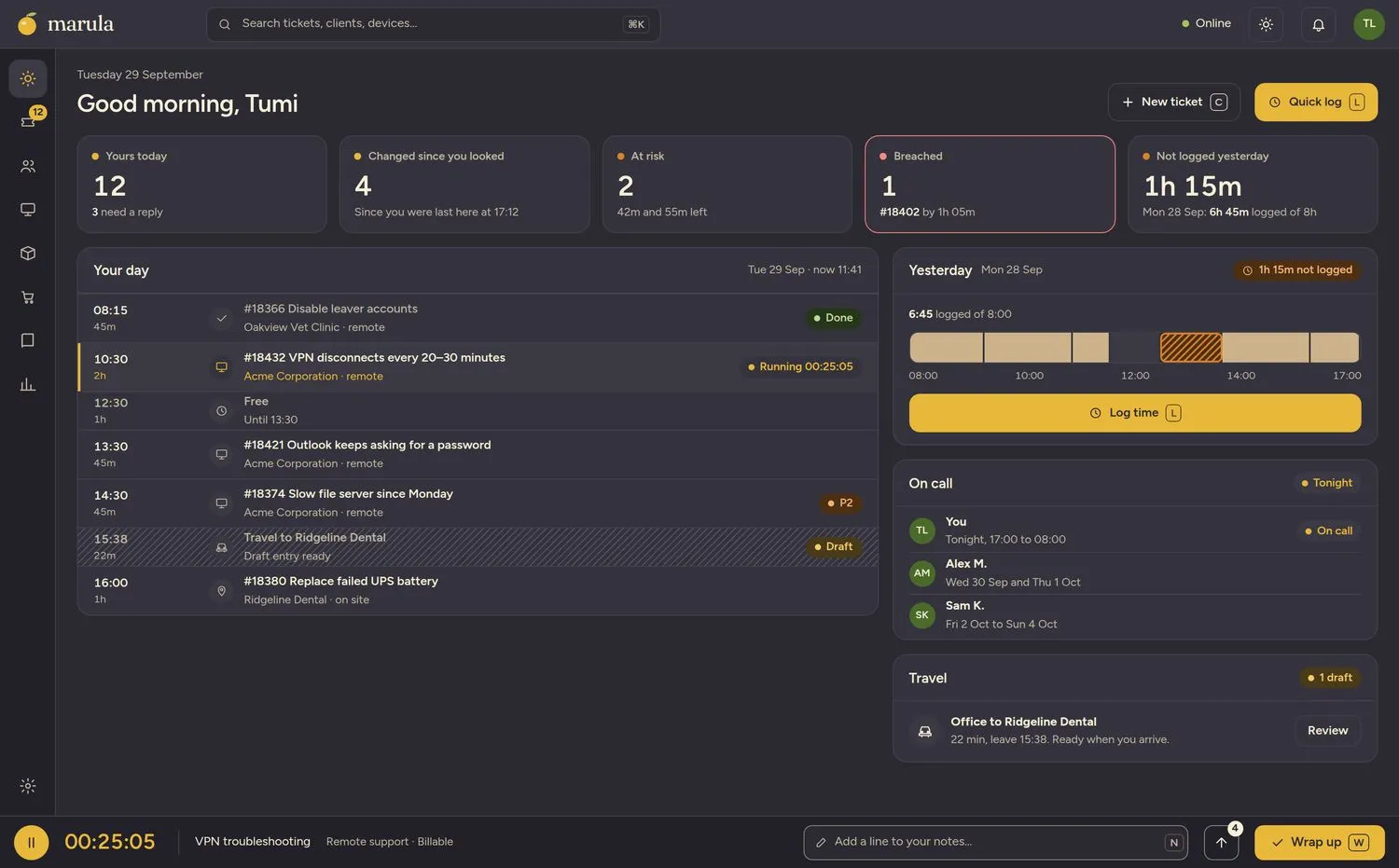
A timer lives at the bottom of every screen. Forgot something? Quick log starts from the common case, yesterday at nine for an hour, and makes you correct it. Time you won’t bill asks why, once, and that is all.
- One timer, on every screen
- Quick log, built for the forgetting
- Yesterday’s gap, drawn right on the page
Dispatch, with an assist.
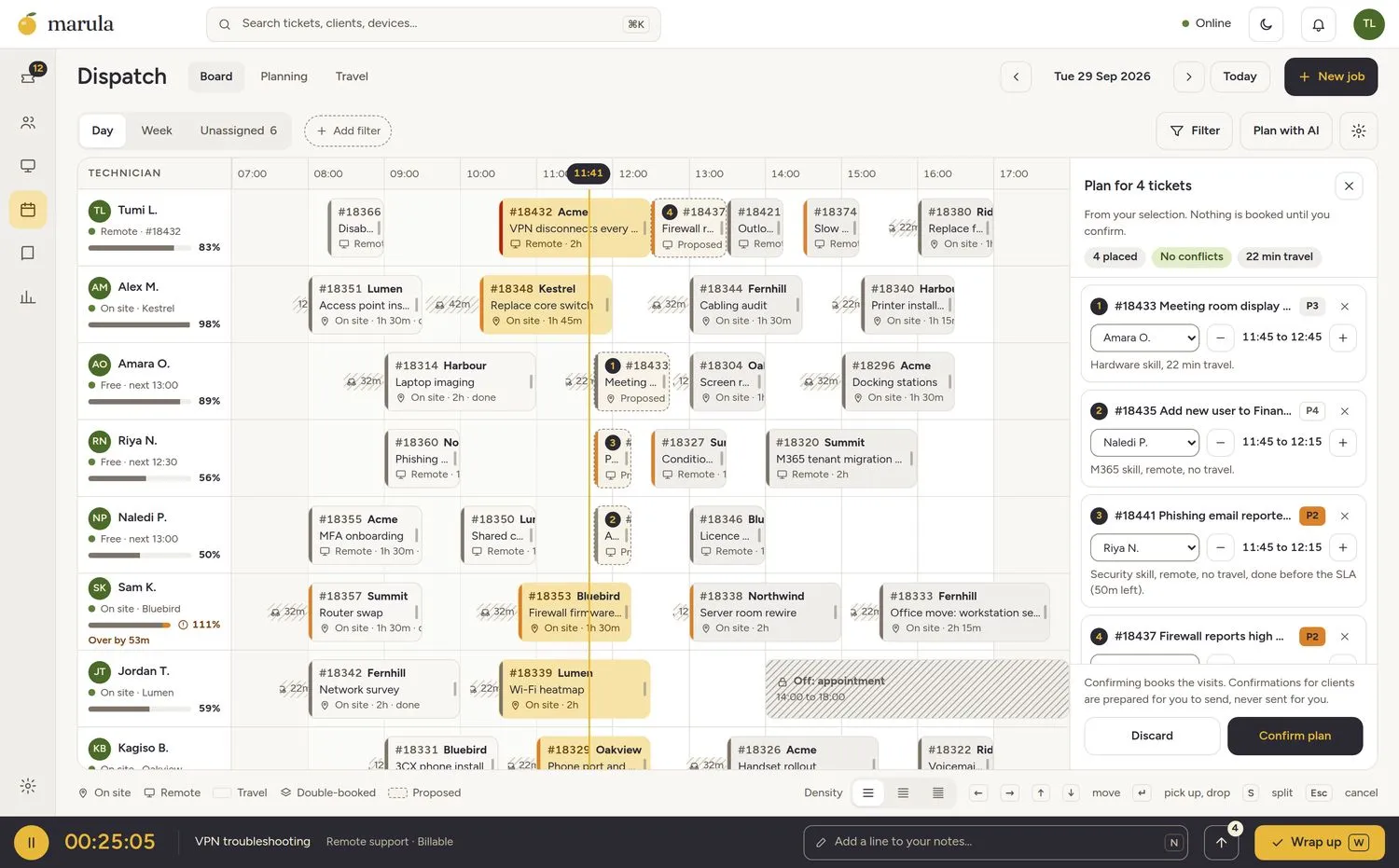
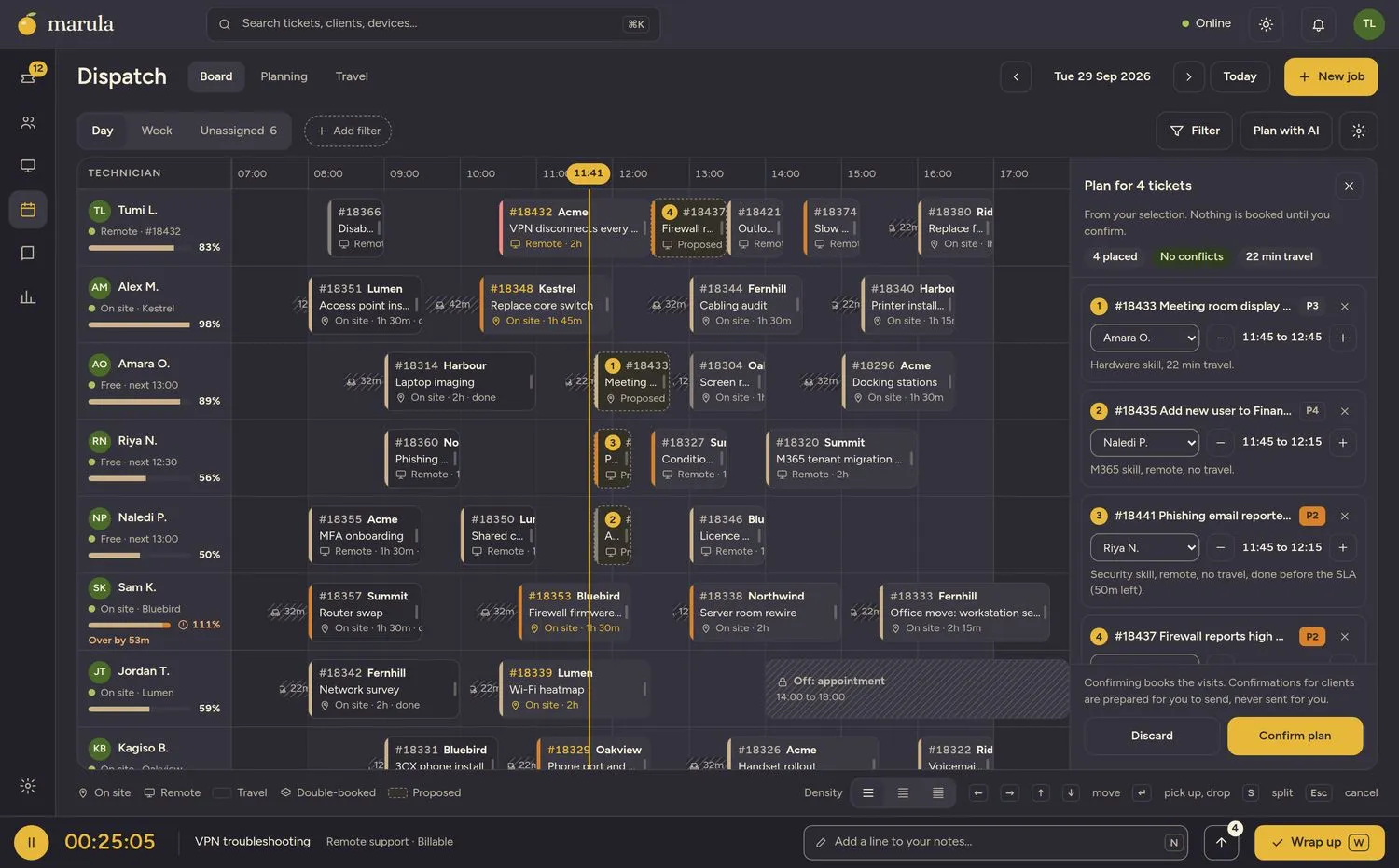
Every technician’s day on one board, with travel and capacity built in. Drag a ticket where it belongs, or do it all from the keyboard. Or let Marula draft the day: dispatch decisions come from the Decision Engine, on a System One model, with a reason on every placement. You confirm it, and nothing is booked, and no client hears a word, until you do.
- Drag or keyboard, same result
- Travel counted, overlaps counted once
- A reason on every placement
- Nothing is booked until you confirm
Meet the New Old L3.
Every service desk has that one senior tech who quietly sorts things out. That is the job description for the agent: the mechanical work, done well, then handed to you. And because the documents are built in, it reads your own runbooks and cites them, so you can check its homework. It proposes. You decide.
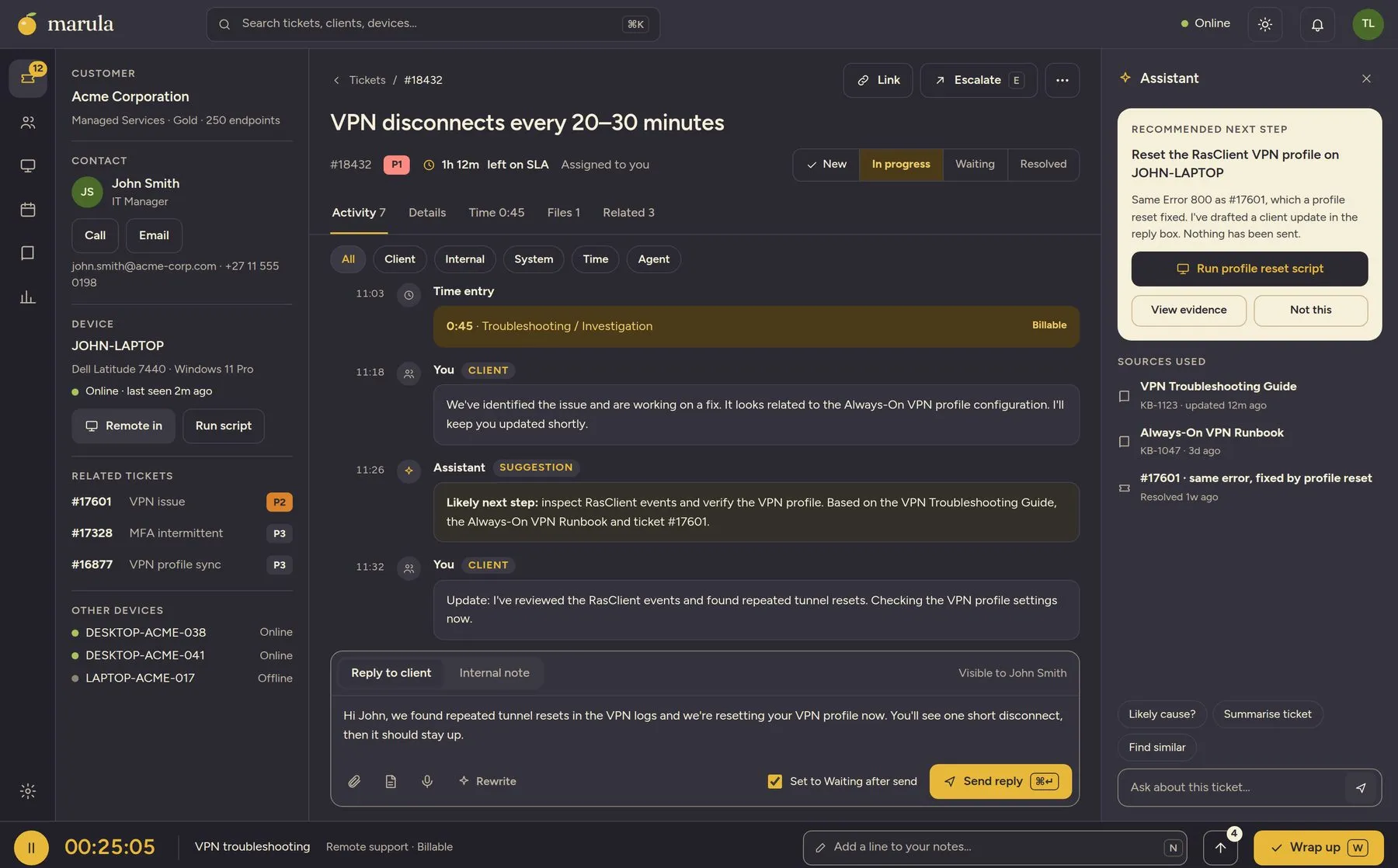
Same Error 800 as #17601, which a profile reset fixed. I’ve drafted a client update. Nothing has been sent.
Run profile reset scriptThe Decision Engine earns trust in steps. Every decision starts off. Switch it to shadow and it runs and scores in the background while nobody sees it. Promote it when the numbers convince you.
Agents talk. The Decision Engine decides.
Routed through one Marula subscription for convenience, or through your own keys for full control.
Fast, typed decisions with a calibrated confidence.
When an agent needs a decision it can depend on, it calls a System One model you have set up in the Decision Engine.
Triaged before the coffee cools.
A ticket lands. The Decision Engine reads it and decides how urgent it is and what it is about. The workflow engine sends it where it belongs: the on-call phone, the right Slack channel, the right queue. All before your dispatcher is back from the kettle.
Job "Nightly-Full" failed at 02:10 and again at 08:12. Target disk is at 98%.
P1 · Backup job failed on FILESRV01 · Kestrel Logistics. Queue: Infrastructure. Response due in 1h.
You set the dial for each action, from “propose and wait” to “just do it”. Nothing goes to a client without a person. When the engine is not sure, it says so, and a human decides.
- Priority and category decided on arrival, with a confidence attached
- Your rules route it: notifications, Slack channels, queues and clocks
- Not sure? It says so, and a person decides
- Humans write the rules. The engine only makes the fuzzy call
Docs, secrets and AI. In the box, not on the invoice.
A documentation system, a secrets vault and a Decision Engine are part of Marula. They are not add-ons that need their own login, their own bill and their own apology.
Other PSAs call this “integrations” and bill by the connector. We call it “the product”.
Documents that live with the work
Runbooks, client documentation and SOPs sit next to the tickets they help with. Versioned, searchable, with document types you can shape to fit.
Secrets, properly
A vault built in. Secrets stay masked, and revealing one asks you to confirm first. They live in the vault, not in a wiki page someone forgot about.
••••••••Reveal••••••••RevealA Decision Engine, on System One models
Dispatch, triage, billing checks and the other engines make their calls in the Decision Engine, on System One models: fast, typed decisions with a calibrated confidence. Each feature is pinned to its own model, and every answer is recorded.
Other features.
Approve with the work in front of you.
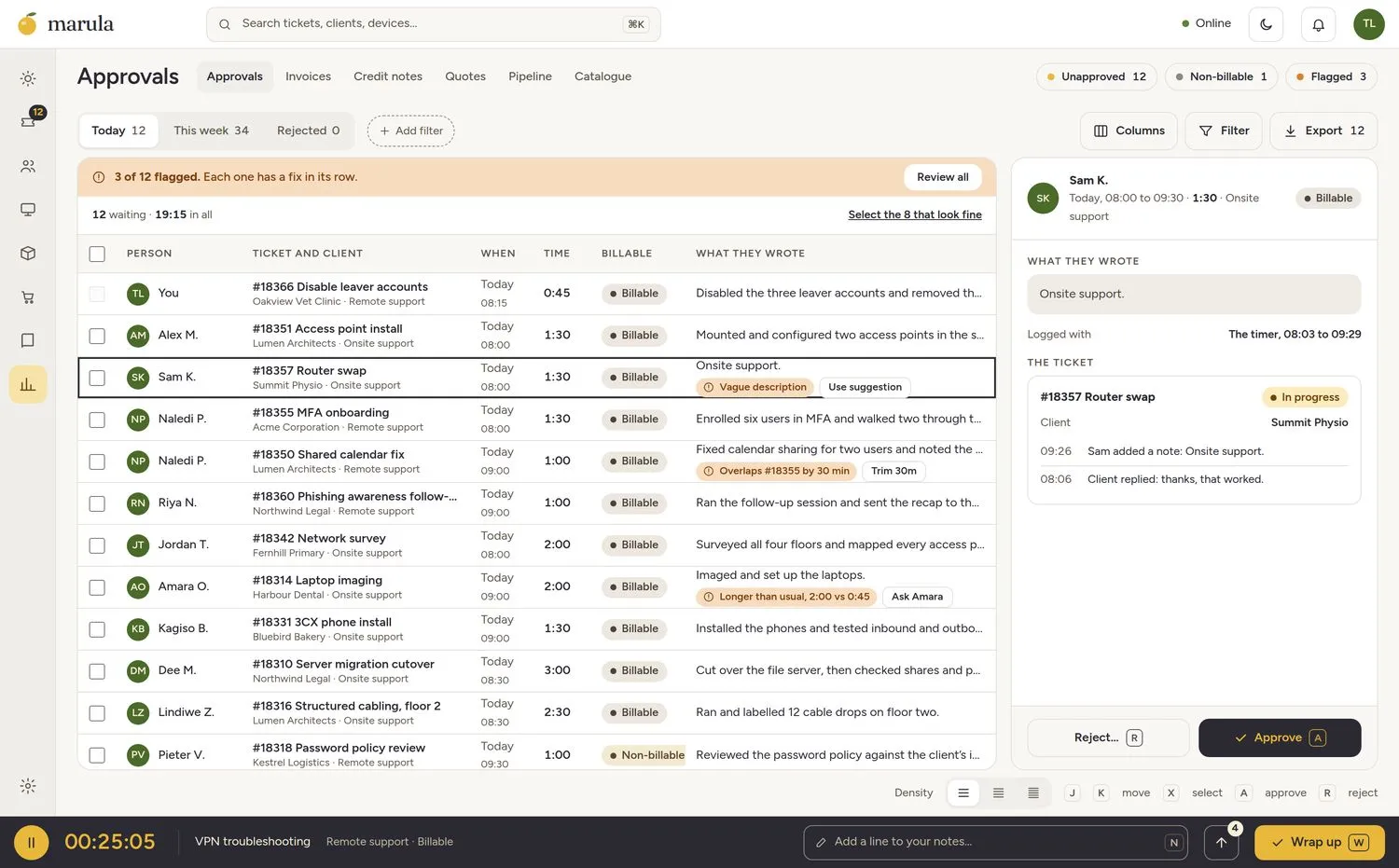
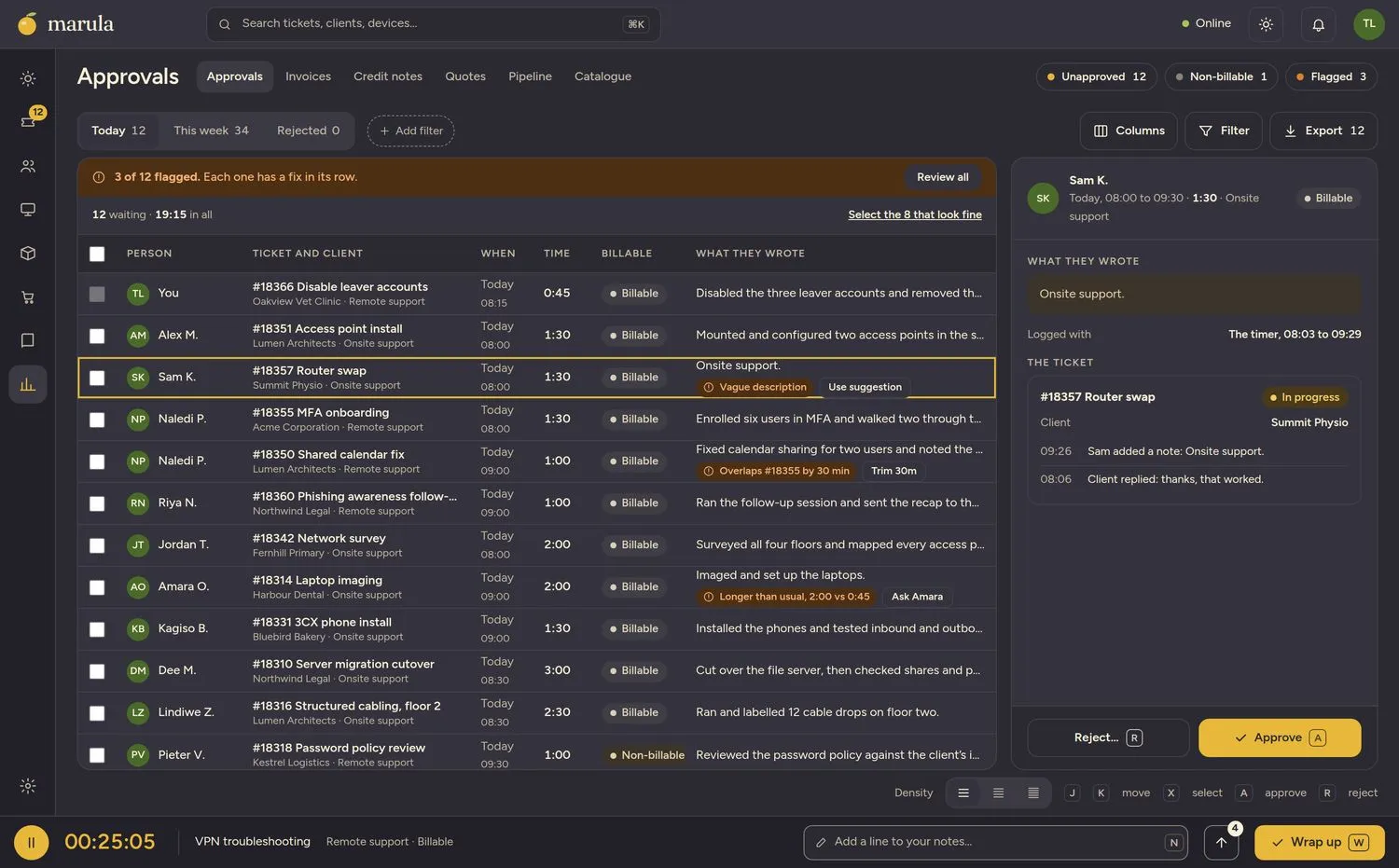
The approver sees the entry and the ticket it belongs to, not a row id. Clean entries go through in one bulk pass. The odd ones carry a mark in their row, with a fix you can apply in a click.
- Decide in context
- A bulk pass for the easy ones
- Flags live in the row, never in a panel
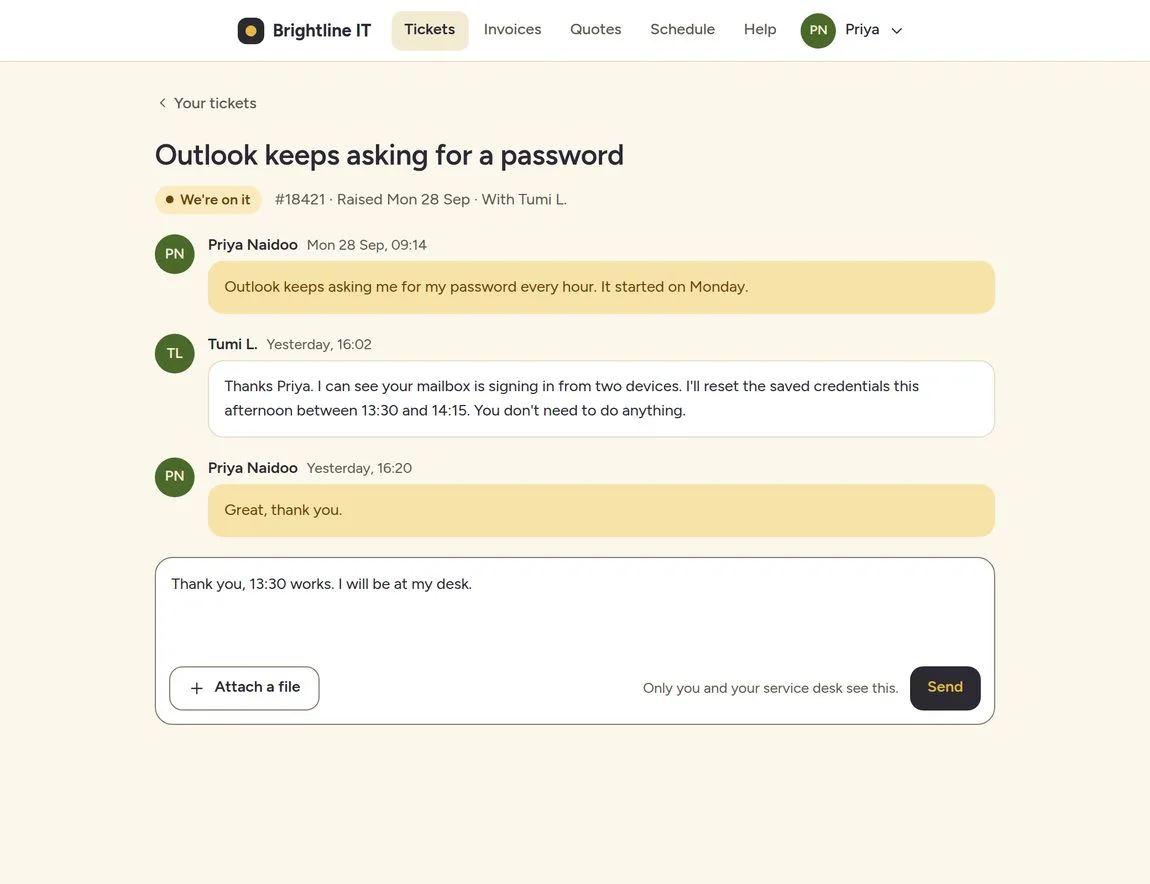
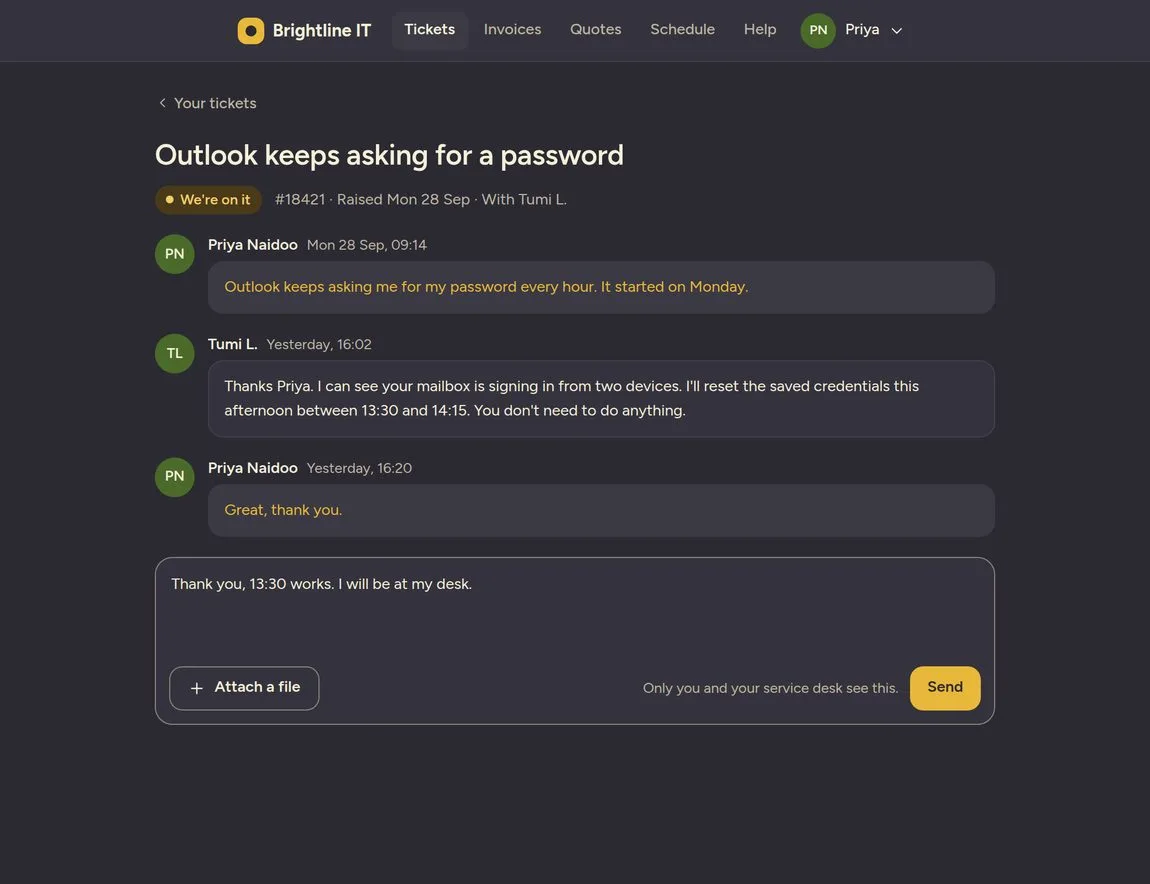
A portal clients actually open.
Plain words instead of our jargon. Nothing internal ever appears. And a brand new ticket still shows something, so nobody is left wondering whether anyone saw it.
- Reply, pay, accept and book
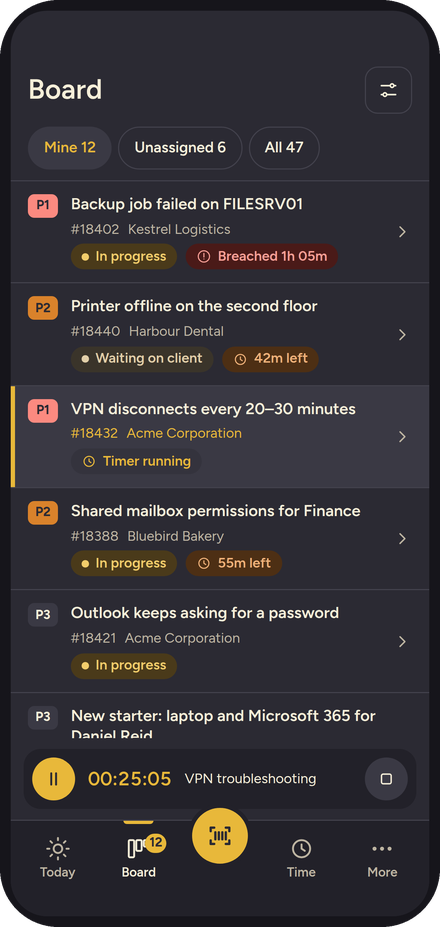
- Sand or dark, their choice
- Never leaves anyone guessing
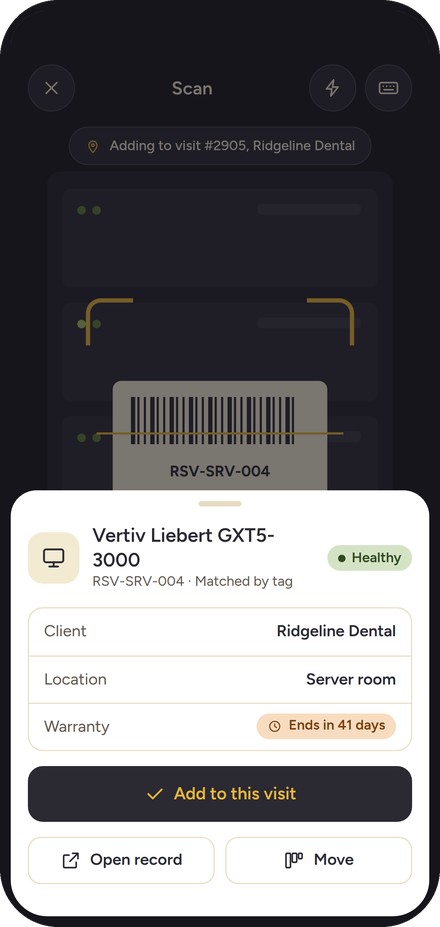
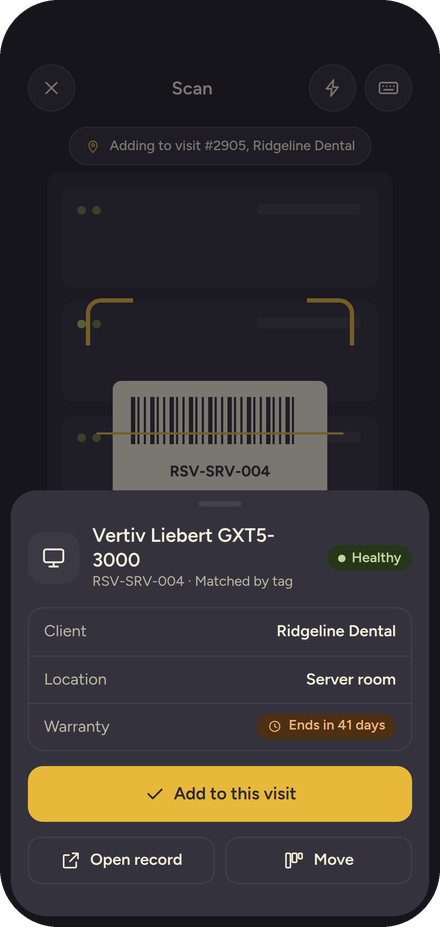
Built for the van, the plant room and the client’s door.
Scan a tag and know exactly what you’re holding. Put it on the visit, move it, or check it out. Time logs itself, and it keeps working when the signal doesn’t.
- Scan an asset, a part or a tool
- Notes that are private are visibly private
- Offline scans wait for you

Open at the core.
Marula Core is open source under the AGPL. Read it, run it, change it. If you would rather we did the running, that is what Cloud is for.
Core Free
Open source, AGPLEverything you need to run a service desk, on your own servers.
- Self-hosted, community supported
- Read and change the code
Cloud
Pricing at launchWe run it. You run the desk.
- Updates and backups handled
- Start in minutes
Self-Hosted
Pricing at launchCore on your servers, with support and the extras.
- Support from the people who built it
- Your data stays with you
Enterprise
Let’s talkFor larger teams with their own rules.
- Single sign-on and audit
- A person to call
Everybody gets to look like a superhero.
To their clients, and to their leaders. That is the whole idea.
Technicians
Turn up knowing the whole story, with the right tool in your hand. Your clients notice.
Dispatchers and leads
The whole day on one screen, so nothing surprises anyone at nine. Decisions stay yours.
Owners and finance
Time that is actually recorded, approvals that show their work, and numbers you can trust.
The things people ask first.
Is it really open source?
The core is, under the AGPL. Self-Hosted, Cloud and Enterprise add support and extras on top, and the core stays yours to read and run.
Do I have to use the AI?
No. It is off until an admin switches it on, and a feature that has not been granted leaves no trace in the interface. Nothing is hiding in a menu, and nothing nags.
Will the agent send things to my clients?
Not by itself. It proposes and a person approves. Anything a client can see, or that leaves the building, waits for a human, whatever the settings say.
Can I try the AI before I trust it?
Yes. Switch a decision to shadow and the Decision Engine runs and scores it without showing anyone. You watch what it would have said, next to what your team actually did, and promote it when the numbers convince you. Agents only ever propose, so nothing they suggest happens without a person.
Can I bring my clients across?
You can import clients from a CSV, and the welcome guide walks you through it. Skip any step and it waits exactly where you left it.
When can I try it?
We are building towards a first release, and the waitlist hears first. Joining the waitlist means a note when Cloud opens and a date for the Core image — and nothing else. We will not mail you every week. If you want to look before then, the core is open source under the AGPL, and you can run it yourself.
How much will it cost?
Pricing lands at launch, and it is not hidden on purpose: Core is free and self-hosted under the AGPL, Cloud and Self-Hosted will carry the per-technician pricing you would expect from a PSA, and Enterprise is a conversation. The waitlist gets the numbers the day they exist.
How is this different from the PSA I already have?
Yours probably has a lovely marketplace. Ours ships with the documentation, the secrets vault and the AI in the box, so there is nothing to bolt on and no fifth login to forget. Yours may still be very good at other things. We will wait.
Which AI models does it use?
Two kinds. Agents run on regular LLMs, routed through one Marula subscription for convenience, or through your own keys for full control. The Decision Engine runs System One models, which return fast, typed decisions with a calibrated confidence. An agent can call one of them when it needs a decision it can depend on.
What is a System One model?
A class of model built for decisions inside software. Structured state goes in, typed decisions come out, each with a confidence, so the surrounding code can act on it. Think smart if-statements: classify, route, score.
Where does my data live?
On your own servers if you self-host, or with us on Cloud. Either way it is yours.
Your techs deserve a tool that has their back.
Join the waitlist, or take the open-source core home and run it yourself.
Double opt-in. One click to leave, any time.